Press FUNC key and “1” key at the same time
Enter Password “7724629” and press Green Enter key
Arrow down
Select Communications
Enter Password “7724629” and press Green Enter key
Arrow down
Arrow down
Select LAN parameters
Select IP address
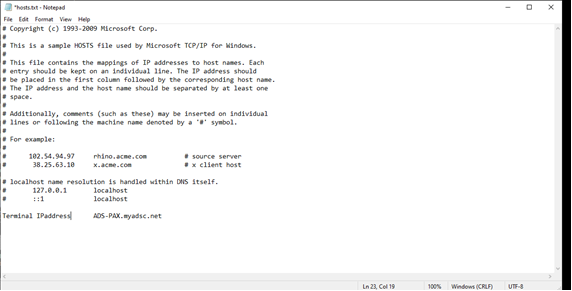
Note: If the password do not work please change the password to today date mm/dd/yyyy and also make sure you have same IP address in the Host file.
Here in this path you will find the host file.
C:\Windows\System32\drivers\etc and open the hosts file. At the very end, enter the ip address of device.
Go to the host file located c:\windows\system32\drivers\etc\hosts you must first open notepad as an administrator . the host file looks like this: